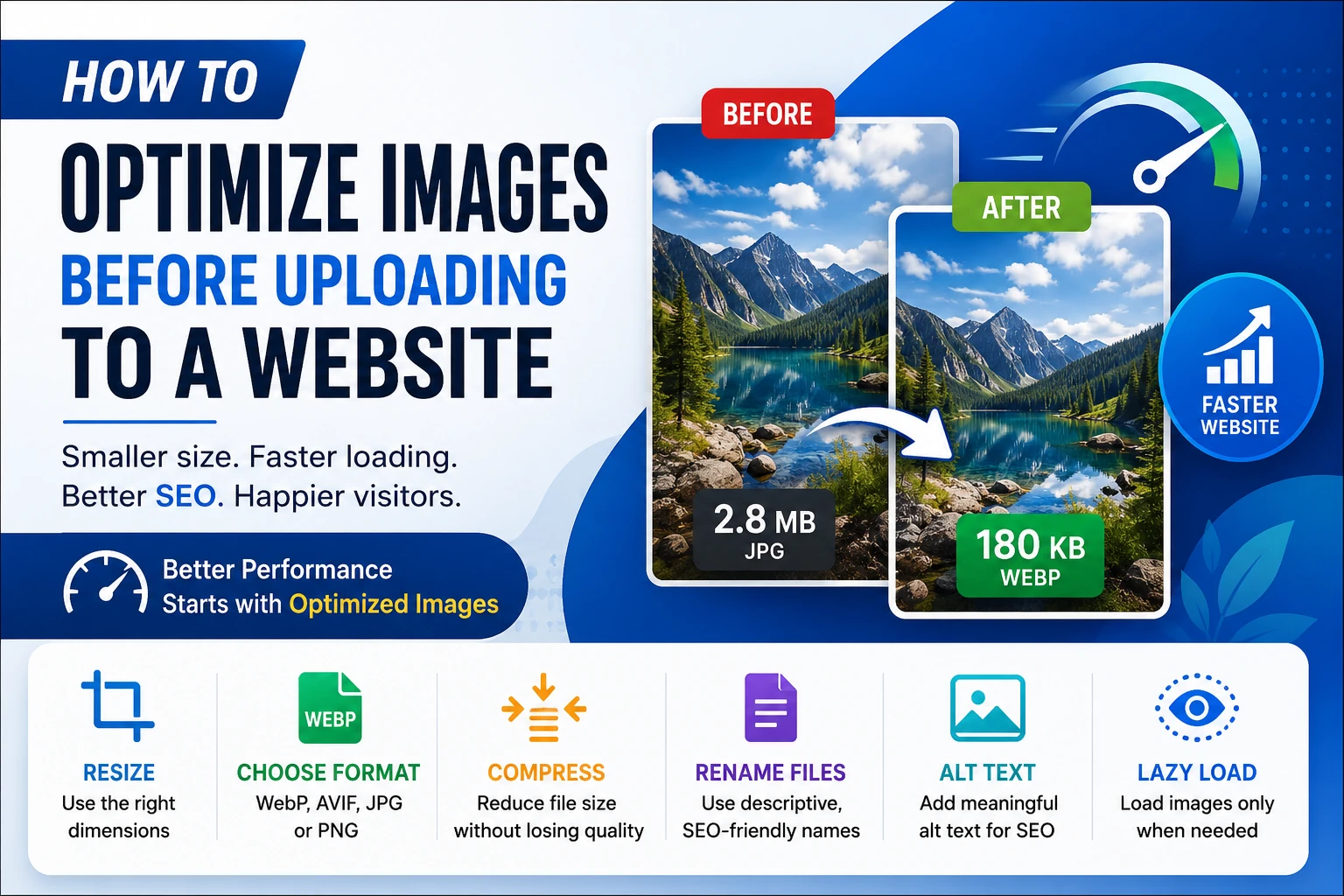
Images make a website more attractive and engaging, but large image files can slow down page loading, increase bandwidth usage, and hurt the user experience. Before uploading images to your website, it is important to optimize them properly.
1. Resize the Image to the Required Dimensions
Do not upload a 5000×3000 pixel image if your website only displays it at 1200×800 pixels. Resize the image to the dimensions actually needed on the page.
For example:
- Blog banner: around 1200 to 1600 pixels wide
- Article thumbnail: around 600 to 800 pixels wide
- Product image: based on the website's display size
- Profile or small icon: much smaller dimensions
Reducing unnecessary dimensions can significantly reduce the file size.
2. Choose the Right Image Format
The image format you choose can have a major impact on file size and quality.
WebP is an excellent choice for most website images because it generally provides good quality at a smaller file size.
JPEG/JPG works well for photographs and complex images.
PNG is useful when you need transparency or very sharp graphics, but PNG files can be considerably larger.
AVIF can provide even better compression than WebP, although browser and workflow compatibility should be considered.
3. Compress the Image
Image compression reduces the file size while trying to preserve visual quality. A properly compressed image can load much faster without looking noticeably different.
For photographs, moderate compression is usually enough. Avoid extremely aggressive compression because it can introduce visible artifacts.
As a practical target, try to keep ordinary website images below 200 to 300 KB when possible. Larger hero images may reasonably be bigger if their dimensions require it.
4. Rename Images Using Descriptive File Names
Before uploading an image, give it a meaningful filename.
Instead of:
IMG_4587.jpg
use something like:
website-image-optimization-guide.webp
Descriptive filenames can help search engines understand what the image represents and make your website's image library easier to manage.
5. Use SEO-Friendly Alt Text
Alt text describes an image for search engines and users who cannot see the image.
For example:
alt="compressed WebP image ready for website upload"
Avoid keyword stuffing. The alt text should naturally describe the actual image.
6. Remove Unnecessary Metadata
Photos from cameras and smartphones can contain metadata such as camera information, location data, and other technical details. Removing unnecessary metadata can slightly reduce file size and may also improve privacy.
However, keep metadata when it is genuinely useful for your website or workflow.
7. Use Lazy Loading
For images that are below the initial visible area of a webpage, lazy loading can prevent the browser from downloading everything immediately.
For the main image visible immediately when the page opens, lazy loading is usually not appropriate because it may delay the image's appearance.
8. Create Responsive Images
A desktop visitor may need a large image, while a mobile visitor may only need a much smaller version. Serving appropriately sized images can save bandwidth.
Modern HTML allows you to provide multiple image sizes using srcset.
The browser can then select an appropriate image size for the user's device.
9. Check Image Quality Before Uploading
Compression should not make the image look noticeably blurry, pixelated, or distorted. Always preview the optimized image before publishing it.
The goal is simple: the smallest practical file size with acceptable visual quality.
10. Optimize Images Before They Reach Your Server
Ideally, image optimization should happen before the file is uploaded to your website. This reduces storage usage, server processing, bandwidth consumption, and unnecessary work later.
For a website with many user-uploaded images, you can also build automatic optimization into the upload system. The server can resize oversized images, convert them to WebP or AVIF, compress them, and generate thumbnails automatically.
Quick Image Optimization Checklist
Before uploading an image, check:
- Resize it to the required dimensions.
- Choose WebP, AVIF, JPEG, or PNG appropriately.
- Compress the image.
- Use a descriptive filename.
- Add meaningful alt text.
- Remove unnecessary metadata when appropriate.
- Generate smaller versions for mobile and thumbnails.
- Use lazy loading for below-the-fold images.
- Check the final image quality.
- Keep the file size as small as reasonably possible.
Image optimization is one of the simplest ways to improve website performance. Instead of uploading large original photos directly, resize, compress, and convert them into a suitable web format first. Combined with responsive images and lazy loading, these techniques can make pages load faster while maintaining good image quality. give it quilljs supported version
Choose an image
Featured Article

For years, the default expectation after Class 12, especially for science students has been simple: clear JEE for engineering or clear NEET for medicine. If you didn't fit into those two boxes, it often felt like you were out of options. How to Choose the Right Path.
That narrative is completely outdated. Read More

What if the world's largest river wasn't on the ground?
When people think of the Amazon, they imagine a vast jungle filled with exotic wildlife, giant trees, and the mighty Amazon River. But scientists have discovered something even more astonishing hidden above the forest. A massive invisible rivers flowing through the sky. Read More

বৃক্ষছায়ায় জ্ঞানের আলোকবর্তিকা: প্রাচীন ভারতীয় শিক্ষা দর্শনের গূঢ়তত্ত্ব Read More

A brief overview of the village where Batukeshwar Dutt was born, its historical significance and how to visit. Read More

অনেক বছর ধরে প্রচলিত একটি ধারণা মানুষ তার মস্তিষ্কের মাত্র ১০% ব্যবহার করে। আধুনিক স্নায়ুবিজ্ঞান বলছে, এটি সম্পূর্ণ ভুল। আমরা আসলে আমাদের মস্তিষ্কের প্রায় সব অংশই ব্যবহার করি, শুধু একসঙ্গে নয়। প্রতিটি অঞ্চল নির্দিষ্ট কাজের জন্য দায়ী, কোনো অংশ ভাষা বোঝে, কোনো অংশ পরিকল্পনা করে, আবার অন্য অংশ আবেগ বা চলাফেরার নিয়ন্ত্রণে থাকে। Read More