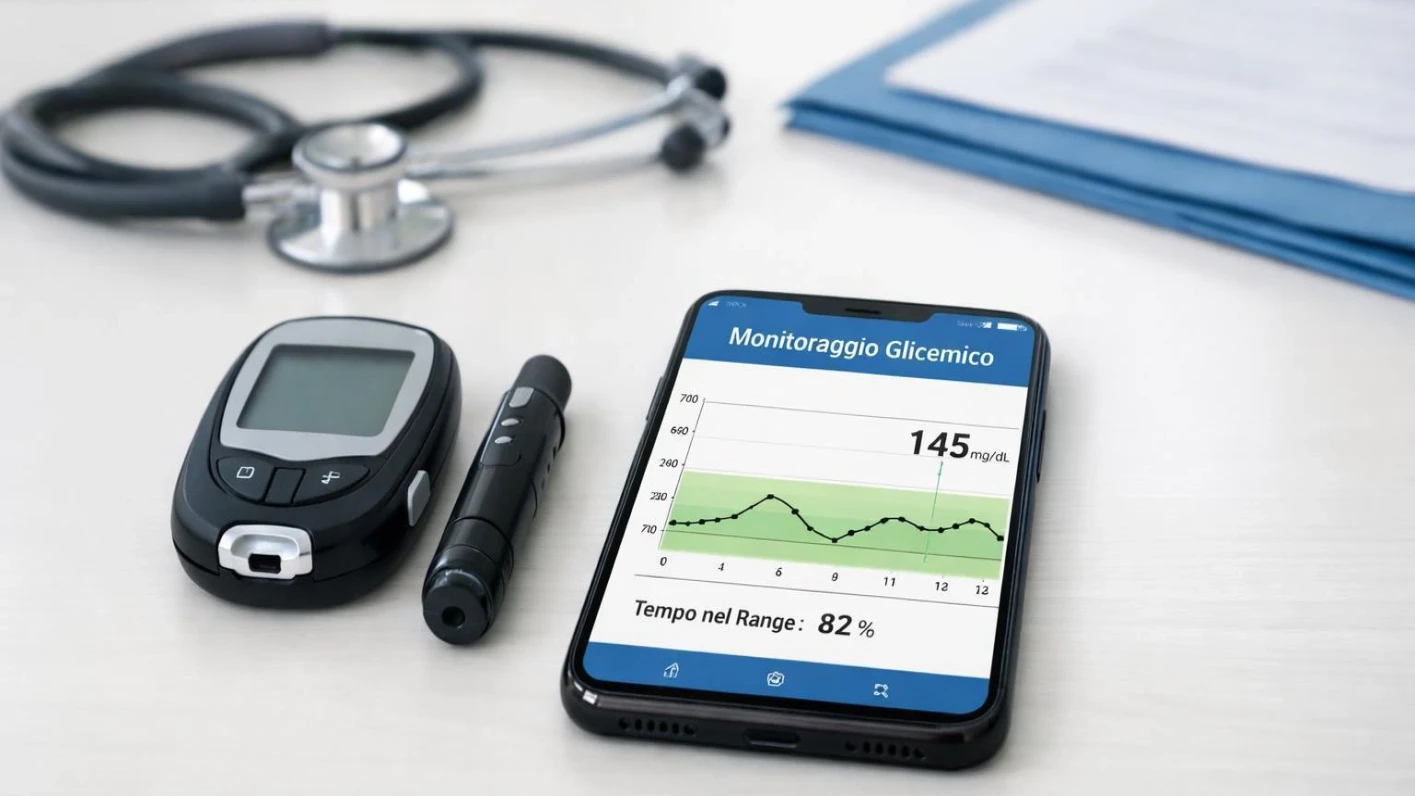
Every year, November 14 is observed as World Diabetes Day, reminding us of the importance of understanding, preventing and managing diabetes. Diabetes is becoming a growing health concern across the world. Millions of people live with this condition, and many do not even realise they have it.
But here is some good news: managing diabetes does not always require complicated technology or expensive equipment. The Android smartphone already in your pocket can become a useful health companion.
Your mobile phone cannot cure diabetes, replace a doctor or independently measure your blood sugar. But when used wisely, it can help you monitor your health, build better habits and stay organised.
This World Diabetes Day, let's discover how your Android smartphone can become your everyday weapon in the fight against diabetes.
1. Understand Diabetes Before You Fight It
Diabetes is a long-term health condition in which the level of glucose (sugar) in the blood becomes too high. This happens because the body does not produce enough insulin or cannot use insulin properly.
There are different types of diabetes:
- Type 1 Diabetes: The body produces little or no insulin. People with this condition need insulin treatment.
- Type 2 Diabetes: The body does not use insulin effectively. Lifestyle changes and medicines can help manage it.
- Gestational Diabetes: A type of diabetes that develops during pregnancy.
The important thing to remember is that diabetes can be managed. With proper medical guidance, healthy habits and regular monitoring, people with diabetes can lead active and fulfilling lives.
2. Your Android Phone Can Become Your Health Assistant
Think about how often you use your smartphone every day. You use it for communication, entertainment, banking, shopping and learning.
Why not use a little of that time to take care of your health?
Your Android phone can help you:
- Record blood glucose readings.
- Set reminders for medicines and insulin.
- Track daily walking and physical activity.
- Monitor food habits and meal timings.
- Record weight and other health information.
- Share useful health records with your doctor.
Instead of depending entirely on memory, you can maintain a digital health diary and observe changes over time.
3. Monitor Your Blood Sugar with Mobile Apps
One of the most useful ways to use your Android phone is to maintain a record of your blood glucose levels.
There are two common ways to do this:
Method 1: Use a digital glucometer
A traditional glucometer measures blood sugar using a small blood sample from your finger. You can enter the reading into a diabetes tracking app or use a compatible glucometer that transfers readings to your phone.
Method 2: Use a Continuous Glucose Monitor (CGM)
A CGM is a small wearable sensor that measures glucose levels throughout the day. Many modern CGM systems connect to Android smartphones and display readings, graphs and alerts.
These records can help you understand how your glucose levels change after meals, exercise and medication. They can also help your doctor make better-informed decisions about your treatment.
NIDDK+1
Remember, an ordinary Android smartphone cannot measure blood sugar simply by touching your finger to its screen or camera. You need a suitable medical device.
4. Never Forget Your Medicines
For people living with diabetes, taking prescribed medicines at the correct time is important.
But busy schedules, work pressure and daily responsibilities can sometimes make us forget.
Your Android phone can help solve this simple problem.
Set daily alarms or reminders for:
- Diabetes medicines.
- Insulin doses, according to your doctor's instructions.
- Blood sugar testing.
- Regular meals.
- Medical appointments.
You can use your phone's built-in Clock app, Google Calendar or a suitable medicine reminder app.
A small reminder at the right time can help you maintain a more consistent routine.
5. Let Your Smartphone Encourage You to Walk

Physical activity plays an important role in managing diabetes and reducing the risk of type 2 diabetes.
Your Android phone can encourage you to become more active.
Use Google Fit or another trusted fitness app to:
- Count your daily steps.
- Record walking distance.
- Track active minutes.
- Monitor your exercise routine.
- Set achievable weekly goals.
You do not need to start with an ambitious fitness target. Begin with a comfortable walk and gradually increase your activity, depending on your health and doctor's advice.
For many adults, the general recommendation is at least 150 minutes of moderate-intensity physical activity per week. However, individual needs may differ.
World Health Organization+1
6. Make Better Food Choices with Your Mobile
Food is another important part of diabetes management.
You do not necessarily have to give up every food you enjoy. The goal is to develop balanced eating habits and understand how different foods affect your blood glucose.
Your smartphone can help you:
- Record what you eat throughout the day.
- Maintain regular meal timings.
- Learn about carbohydrate content.
- Plan balanced meals.
- Keep track of water intake.
- Discover healthier recipes.
For example, instead of eating a large quantity of refined carbohydrates in one meal, you can discuss a balanced combination of vegetables, pulses, whole grains and appropriate protein with a qualified dietitian.
Remember that there is no single diet suitable for everyone with diabetes. Your food plan should consider your health, medicines, lifestyle and personal needs.
7. Share Your Health Records with Your Doctor
One of the biggest advantages of digital health tracking is that information becomes easier to organise.
Instead of trying to remember your blood sugar readings from the previous month, you can maintain a digital record on your phone.
Before visiting your doctor, prepare information about:
- Your recent glucose readings.
- Any unusually high or low readings.
- Medicines taken and missed doses.
- Changes in weight.
- Food and exercise habits.
- Any symptoms or health concerns.
Some glucose-monitoring apps allow you to export reports or share readings with healthcare professionals.
Your doctor can use this information to understand your progress and decide whether your treatment needs adjustment.
8. Important Safety Rules: Don't Trust Every Health App
Technology is helpful, but it also has limitations.
Not every app available on the Google Play Store is medically reliable. Some applications make exaggerated claims about measuring blood sugar without any medical device.
Before installing an app, check its developer, reviews, privacy policy and compatibility with your medical equipment.
Keep these important points in mind:
- Never stop prescribed medicines because an app suggests doing so.
- Never change insulin doses without following your treatment plan.
- Do not depend on a mobile app for medical diagnosis.
- Keep your glucose meter available even if you use a smartphone-connected CGM.
- Protect your health information with a secure phone lock and trusted apps.
- Contact your healthcare professional if you regularly experience unusual glucose readings.
A smartphone is a health assistant, not a replacement for a qualified doctor.
9. Know the Warning Signs – Early Action Can Save Lives
The theme of World Diabetes Day 2026 is "Early Action on Diabetes." The focus is on early diagnosis, timely treatment and reducing the risk of complications.
International Diabetes Federation+1
Do not ignore these common warning signs:
- Excessive thirst.
- Frequent urination.
- Unusual tiredness.
- Blurred vision.
- Unexplained weight loss.
- Increased hunger.
Some people with Type 2 diabetes may have very few noticeable symptoms. Therefore, regular health check-ups and appropriate blood glucose testing are important, particularly for people at higher risk.
If you notice these symptoms, consult a healthcare professional and get tested. Do not wait for your condition to become serious.
World Health Organization+1
10. Make Your Android Phone a Partner in a Healthier Life
Diabetes management is not about making one big change overnight. It is about making many small, positive decisions every day.
Use your smartphone to learn something new about nutrition, record your walking routine, remember your medicines and stay connected with your healthcare professional.
Encourage your parents, friends and family members to use technology for better health.
If someone in your family has diabetes, helping them set up a simple glucose tracking app or medicine reminder could be a meaningful gift.
And if you are healthy, use your phone to develop better habits before health problems begin.
Final Thoughts: Your Best Weapon Is Awareness
On this World Diabetes Day, let's remember that diabetes is not a reason to lose hope. It is a condition that requires awareness, discipline, proper treatment and continuous care.
Your Android smartphone may not have the power to cure diabetes, but it can help you become more aware, organised and responsible about your health.
Technology gives us information. Doctors provide medical guidance. Our daily choices help us build healthier lives.
Don't just use your smartphone to scroll through social media. Use it to protect your health, support your family and encourage others to take diabetes seriously.
This November 14, take one small step towards a healthier tomorrow.
Act Early. Track Smart. Live Better!
Happy World Diabetes Day – 14 November 2026
Choose an image
Featured Article

For years, the default expectation after Class 12, especially for science students has been simple: clear JEE for engineering or clear NEET for medicine. If you didn't fit into those two boxes, it often felt like you were out of options. How to Choose the Right Path.
That narrative is completely outdated. Read More

What if the world's largest river wasn't on the ground?
When people think of the Amazon, they imagine a vast jungle filled with exotic wildlife, giant trees, and the mighty Amazon River. But scientists have discovered something even more astonishing hidden above the forest. A massive invisible rivers flowing through the sky. Read More
বৃক্ষছায়ায় জ্ঞানের আলোকবর্তিকা: প্রাচীন ভারতীয় শিক্ষা দর্শনের গূঢ়তত্ত্ব Read More

A brief overview of the village where Batukeshwar Dutt was born, its historical significance and how to visit. Read More

অনেক বছর ধরে প্রচলিত একটি ধারণা মানুষ তার মস্তিষ্কের মাত্র ১০% ব্যবহার করে। আধুনিক স্নায়ুবিজ্ঞান বলছে, এটি সম্পূর্ণ ভুল। আমরা আসলে আমাদের মস্তিষ্কের প্রায় সব অংশই ব্যবহার করি, শুধু একসঙ্গে নয়। প্রতিটি অঞ্চল নির্দিষ্ট কাজের জন্য দায়ী, কোনো অংশ ভাষা বোঝে, কোনো অংশ পরিকল্পনা করে, আবার অন্য অংশ আবেগ বা চলাফেরার নিয়ন্ত্রণে থাকে। Read More